
Security training
Turn every click into a teachable moment
A short, focused lesson appears immediately after someone clicks a simulated message — in the right language and while the context is still fresh. PhishSpot tracks completion and quiz results.
Courses that fit the click
Build short lessons that match the scenario and the recipient’s language, or use a ready-made platform course from day one.
- Eight block types — text, rich HTML, image, video, quiz, interactive, code and file download.
- Quizzes with scoring so completion means understanding, not just a page view.
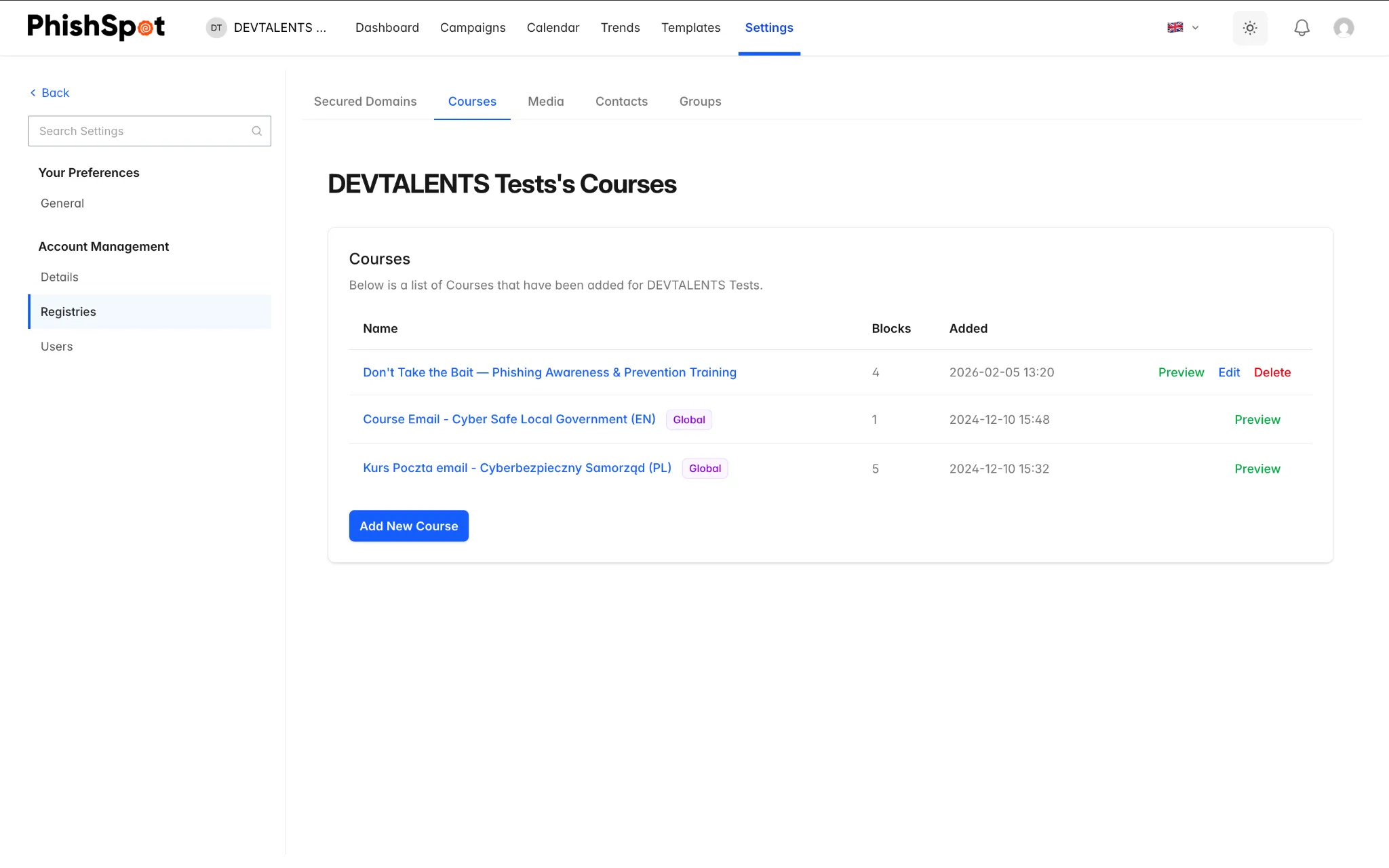
- Platform courses or your own — start from the shared library, then customize them for each account.
- Available in English and Polish, so the lesson reads naturally for every employee.
Everything you need to make the lesson stick
Rich content blocks, scored quizzes and full completion tracking — delivered at the moment they land hardest.
Eight block types
Compose courses from text, rich HTML, image, video, quiz, interactive, code and file-download blocks — from a 60-second reminder to a full module.
Quizzes with scoring
Add scored quizzes so completion means the lesson landed. Every score rolls into reporting alongside the simulation funnel.
Platform courses or your own
Launch with ready-made platform courses in English and Polish, or build custom courses for each account — Admins and Editors edit, Members take them.
Completion tracking
Authorized users can review completion by person or group and send follow-ups automatically.
Delivered at the teachable moment
A course can be the post-click action. The lesson opens immediately after someone interacts with a simulated message, while the context is still fresh.
A personal training portal
Every employee gets their own portal to see assigned courses, resume where they left off, and revisit interactive material anytime.
From click to completion
Instead of a dead end after the click — a lesson that sticks, and a result you can measure.
- 01
Someone clicks
An employee clicks a simulated message and lands on the campaign’s landing page.
- 02
The course opens
Instead of a dead end, the assigned course loads right away — the post-click teachable moment.
- 03
They learn and confirm
A short lesson and scored quiz reinforce the concept while the context is still fresh.
- 04
Completion is tracked
Completion and quiz results feed team trends and authorized reporting.
Training, answered
When does the training appear?
Immediately after the click, if you set a course as the campaign’s post-click action. The employee lands in the lesson while the message context is still fresh. You can also assign courses independently of a simulation.
What can a course contain?
Eight block types: text, rich HTML, image, video, quiz, interactive, code and file download. Add scored quizzes to confirm understanding, not just attendance.
Can we use our own content?
Yes. Start from the platform course library or build custom courses for each account. Admins and Editors create and edit; Members take them from their personal training portal.
Are courses available in Polish?
Yes. Courses can be authored in English and Polish so the lesson reads naturally and matches the language of the simulation.
Make the click the moment they learn
Deliver the right course at the moment of the click and track completion and understanding.