

Autopilot
A consistent training cadence without manual scheduling
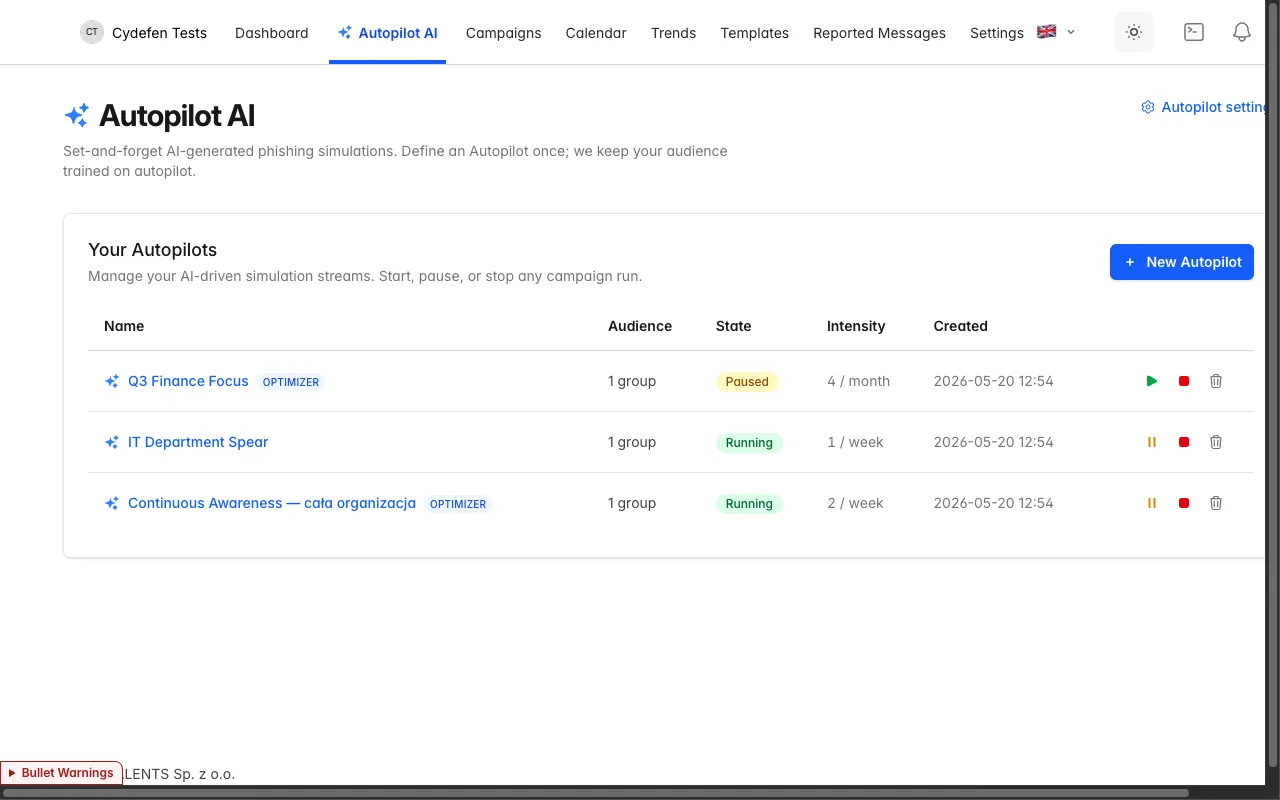
Autopilot picks templates in the right language, keeps your cadence, and enrolls every new hire on its own. You set the intensity; the platform does the rest.
Set the intensity once
Instead of scheduling every campaign by hand, you tell Autopilot how often to train — and it selects templates, schedules sends, and keeps the cadence for you.
- Cadence you control — from one send a month to a few a week, with a hard cap of two per person per day.
- Always on — the program keeps running while you focus on higher-priority work.
- Per-account defaults — set sensible values once and spin up new programs in a couple of clicks.
Automation, not content generation
Autopilot doesn’t write emails. It picks the right template from your library, schedules it, and tunes the cadence — you keep full control of the content.
Intensity control
Set a send count and a period. A hard safety cap of two simulations per person per day means no one gets buried.
AI optimizer
Automation, not generative AI: it tunes timing and template choice to each recipient’s history so training stays challenging. It does not write emails.
Auto-enroll new hires
Anyone added to the audience — including a new joiner from Entra sync — is enrolled in the program with no manual step.
Language-matched templates
Autopilot selects a template that matches each recipient’s language, so every message reads naturally.
Pause or stop anytime
Pause a program before a busy period, or stop it entirely — one click, with the history left intact.
Per-account defaults
Set sensible defaults for the whole account so every new program starts consistent and safe.
Configure in minutes
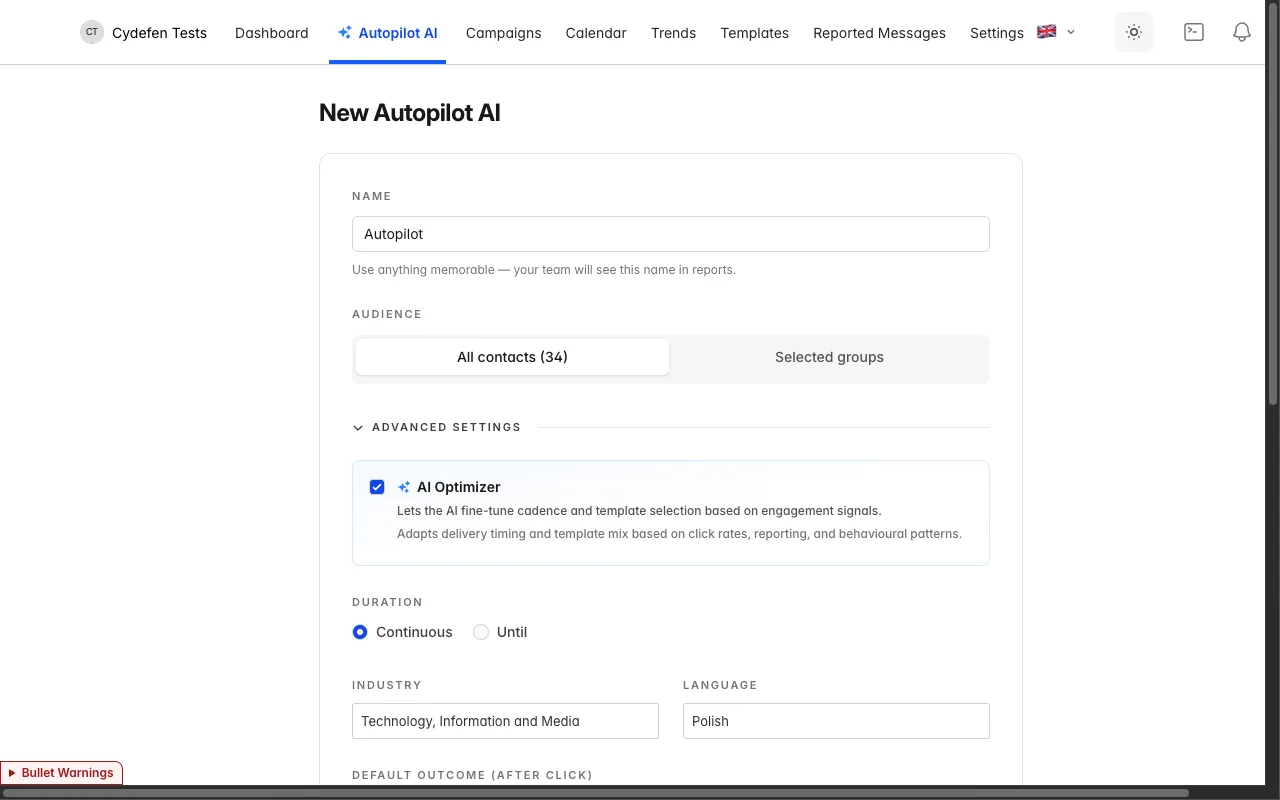
One form: choose an audience, set the intensity and period, turn on the optimizer — and launch. The program starts immediately and keeps itself running.
- One short form — audience, intensity, period and optimizer in a single place.
- Visible safety cap — the hard limit of two simulations per person per day protects recipients.
- Change on the fly — tune the intensity or pause the program at any point.
A yearly test vs a living program
A one-off simulation is a snapshot from a single day. Autopilot makes awareness a measurable, always-on habit.
A yearly test
- A single annual test, forgotten by the next quarter
- New joiners wait months for their first training
- The same scenario for everyone, regardless of language
- A fixed difficulty that’s easy to predict
- A risk of burying recipients on one day
- Manually planning every round from scratch
A living program (Autopilot)
- A continuous cadence at the rhythm you set
- New hires enrolled automatically
- A language-matched template picked from the library
- An optimizer that tunes timing and difficulty
- A hard cap of two per person per day
- Pause or stop with one click
What teams ask about Autopilot
Does the AI write the emails?
No. Autopilot is automation, not generative AI. It selects a language-matched template from your library, schedules it on your cadence, and an optimizer tunes timing and difficulty. It doesn’t generate content — you keep full control of every template.
How often will people get simulations?
As often as you set. You choose a send count and a period, from one a month to a few a week. A hard safety cap applies: no more than two simulations per person per day.
What about new hires?
They’re enrolled automatically. Anyone added to the audience — including a person from Microsoft Entra sync — is added to the active program with no manual step.
Can I pause or stop a program?
Yes, at any time and with one click. Pause Autopilot before a busy period, or stop it entirely — the history and results stay intact.
Turn on a continuous program this week
Book a demo and we’ll show Autopilot on your groups. Or start a free trial and set the intensity at your own pace.